Smooth the low-poly cylinder

Smooth the low-poly cylinder 

Cylindrical mesh made with low polyAdd polygon division toHow to make the mesh smootherIntroducing 

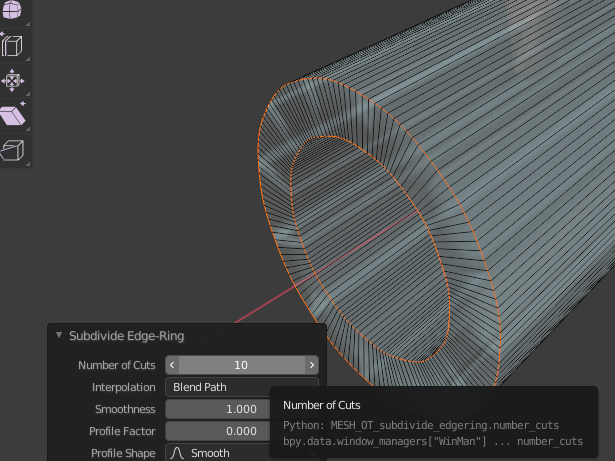
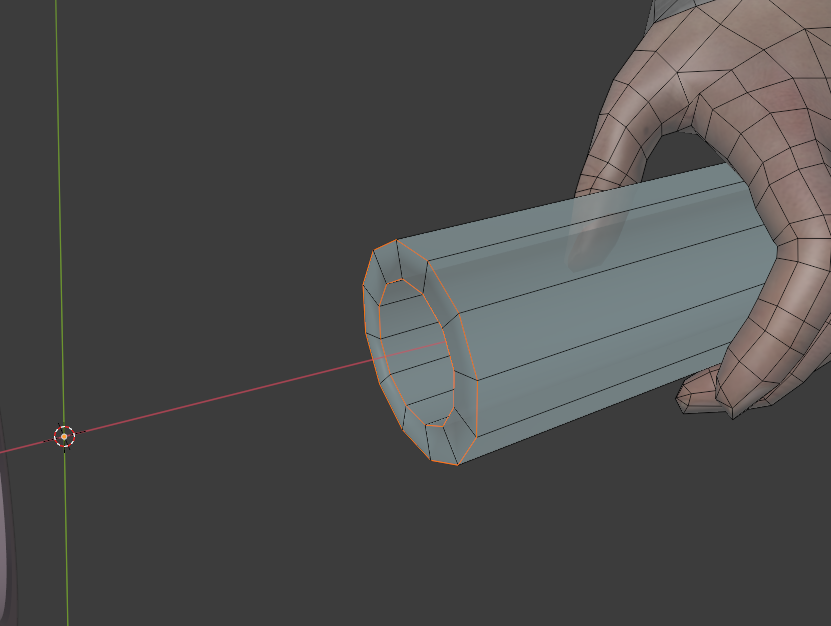
Assume a cylindrical shape with conspicuous jerking as shown below. 

Select the edge of the end of the cylinder. 
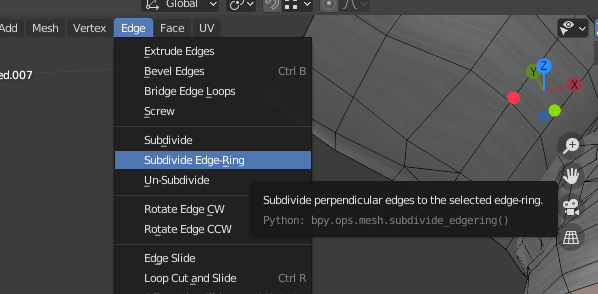
Edge→Subdivide Edge-RingChoose. 
You can enter numerical values such as the number of divisions at the bottom left of the Viewport. 
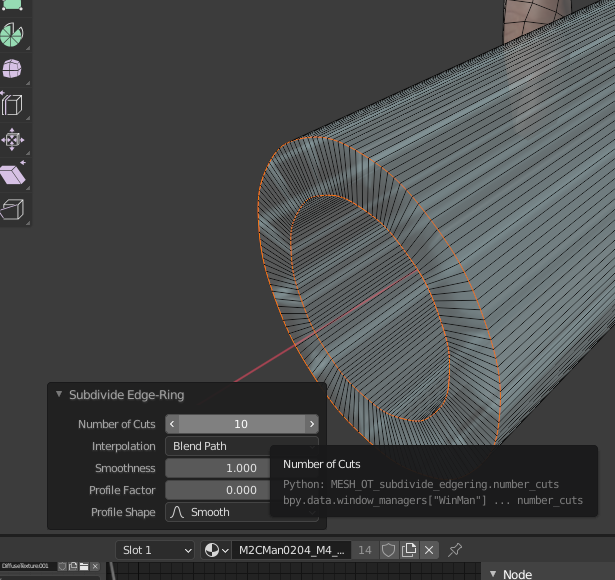
I increased the number of divisions to get a smoother cylindrical shape. 
Contact

We welcome project inquiries and consultation.

  • Planning and design of architecture, interiors, and exhibition spaces
  • Planning and design of furniture, products, and objects
  • Product development using recycled and unused materials
  • Digital fabrication support using 3D printing, CNC, and related technologies
  • 3DCG visualization for architecture, interiors, and products
  • Simulation and parametric study support using Grasshopper and Python

Early-stage and concept-phase inquiries are also welcome.

Even if the outline of your project is not yet fully defined, please feel free to get in touch.

en_USEN