
About planarization of the exterior surface
When considering a design with mesh modeling, I end up creating a distorted surface. However, in actual buildings, exterior materials that correspond to curved surfaces tend to be expensive. In order to configure the exterior at low cost,Flattening of the exterior surfaceis one method.
When considering a design that consists of flat surfaces excluding curved surfaces, it is necessary to confirm that the model once examined is composed only of flat surfaces, and to flatten distorted surfaces that are not flat.
check for distortion
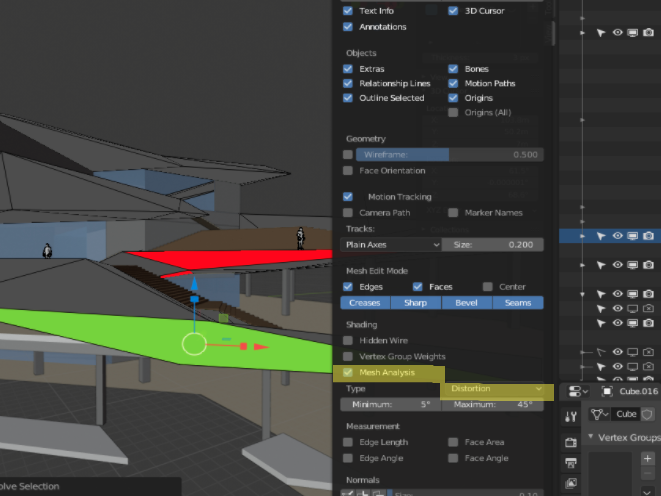
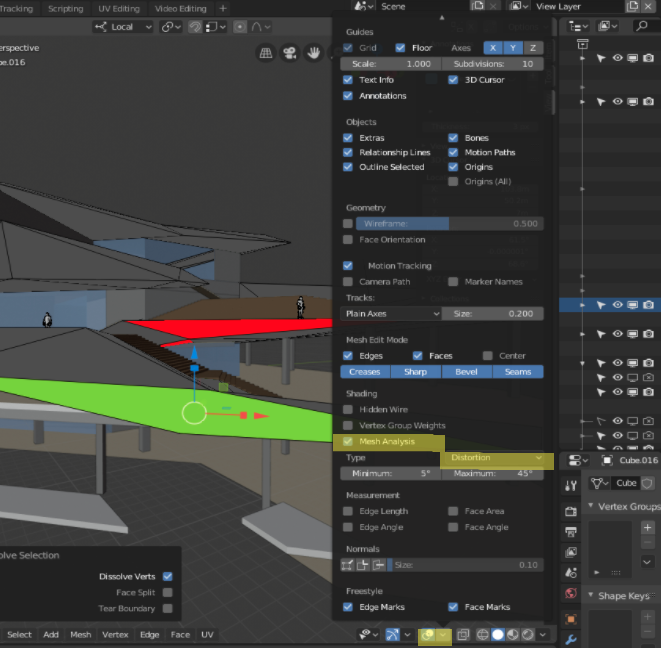
In Blender, you can check the distortion of the surface in the display settings in Edit mode.
Mesh AnalysisCheck the box and set the Type toDistortionchange to
More distorted faces are shown in red, and near-planar faces are shown in blue. The threshold can be changed to any value by the numerical value under Type.
flatten
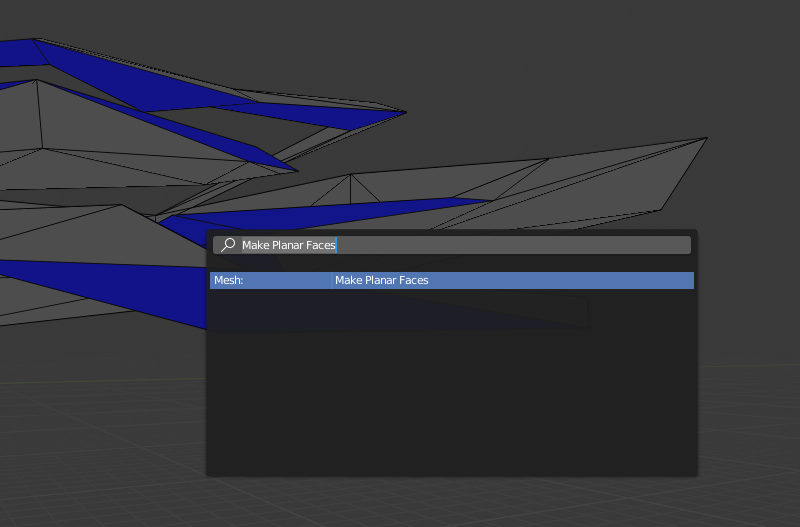
You can automatically correct (flatten) the distortion with Make Plannar Faces.
Most of the faces are blue.
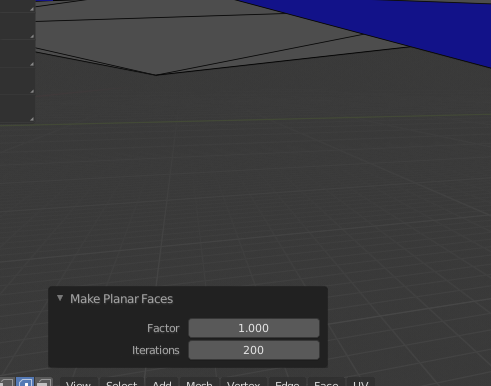
iteration: number of iterations of the calculation. Increase to get closer to a more perfect plane.
Distortion tolerance depends on actual material usedTherefore, it is necessary to consider while consulting with a specialist.
Detailed information on Mesh Analysis is listed below, so please refer to it. .

 EN
EN  JA
JA